User-agent: Mediapartners-Google Disallow: User-agent: * Disallow: /search Allow: / Sitemap: http://nox4developper.blogspot.com/sitemap.xml Nox 4 developper: games
Affichage des articles dont le libellé est games. Afficher tous les articles

[Guide] How to play HD games on Xperia E3 topic


Hello guys!!
I am creating this thread as seeing so many of question about running and installing HD games (only Obb folder Games) on our Xperia E3/dual So here it is :-
Requirement :-
1- Root (see Tutorial on forum)
2- Install Xposed installer ( Download from attachments )
3- Install Obb to Sd Module for Xposed Framework ( Download from attachments )
4- Good Sd card( recommended class10 )

Instructions:-

1- First your phone should be rooted.
2- After Rooting install Xposed installer ( install according to its instructions ) and reboot your phone.
3- Again after rebooting install Obb to Sd module apk and reboot your phone.
4- Now just Install Your Game apk and directly move data from your Pc to External Sd>Android>Obb>here
5- Don't be upset mainly most of the games are of OBB files:fingers-crossed: ;)
6- Woillaaa Enjoy Gaming on this Superb performence Phone.:fingers-crossed:

Hit Thanks if you liked it :)


Attached Thumbnails


Click image for larger version<br/><br/>Name:	IMG-20141225-WA0002.jpg<br/>Views:	N/A<br/>Size:	57.2 KB<br/>ID:	3081231
 

Click image for larger version<br/><br/>Name:	IMG-20141225-WA0004.jpg<br/>Views:	N/A<br/>Size:	65.6 KB<br/>ID:	3081232


Attached Files


File Type: apk xposed.installer.apk -
[Click for QR Code]
(711.8 KB)
File Type: apk Obb on SD.apk -
[Click for QR Code]
(12.1 KB)


NVIDIA GAMES STREAMS, NVIDIA SHIELD HUB APP {Game Knows Game} topic


NVIDIA SHIELD HUB APP {Game Knows Game}, A Must Have For All Gamers, Play Games In Upscale High Graphic Video
Resolution Quality'
The Nvidia shield hub app can be downloaded here https://plus.google.com/communities/...artnerid=gplp0 !


[Q] problem playing videos and games topic


Recently flashed a wiko stairway ROM . was not the first time . But all heavy duty games like fifa's crashed :(
soon came to know it was hardware decoding error :( what to do ???


Post Your Google Play Games Score !!! topic


Hey all

After long time of playing games we get score in google play games

so lets know who is the best score here ;)


http://i.imgur.com/VGYxzjx.png


Performance Tweak for Games topic


Hi everyone :)

This Tweak works for Games like N.O.V.A 3 and Asphalt 8
Did u try to play Nova 3 on S3 Neo? it lags like ****.

It's very easy step to make it very playable:

U need a rooted Device and the app "build.prop" u can get it here:https://play.google.com/store/apps/d...p.editor&hl=de

Open build.prop App, and press the Button u see in the first attached screenshot

Now change the stock settings (3. screenshot) to this


ro.product.model=Galaxy Nexus
ro.product.brand=google


Save the settings and restart your phone,
check with build.prop your changes are really saved


it works because some games check your brand model to set automatic graphical settings u can't change in the options menu
The Graphic Details are slightly reduced in Nova3, but no more stuttering! buttery smooth :cool:

try it for laggy games! it's worth it :)

GTA San Andreas is poorly optimized for this cpu/gpu SoC, no way


Attached Thumbnails


Click image for larger version<br/><br/>Name:	main menu.png<br/>Views:	N/A<br/>Size:	233.7 KB<br/>ID:	3072543
 

Click image for larger version<br/><br/>Name:	tweak settings.png<br/>Views:	N/A<br/>Size:	209.3 KB<br/>ID:	3072544
 

Click image for larger version<br/><br/>Name:	stock setting.png<br/>Views:	N/A<br/>Size:	210.4 KB<br/>ID:	3072545


Games not working topic


Hi,

thought it would be useful to have a thread of games which are not working currently. From my tests the below 4 do not (unless I messed something up with my Rom):

1. Sonic Racing Transformed (how will I get my weekly challenge met!) (Black screen with sound and can click just cant see)
2. Final Fantasy All the Bravest (Black Screen)
3. Chrono Trigger (Closes to home screen)
4. House of the dead (it says the obb file is missing....but the obb is there


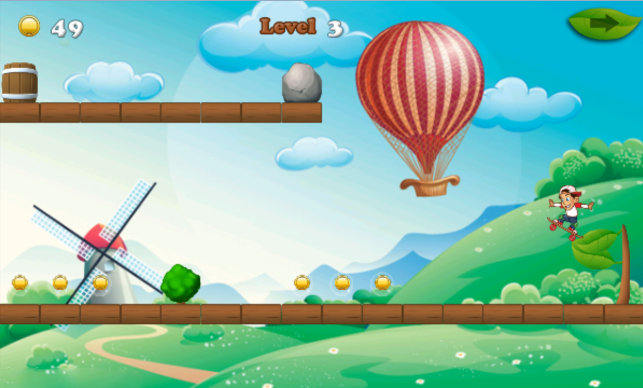
[GAME][2.2+] SkateBoarding Games topic


Hello Everyone

My New Game in Google Play - Skateboarding Game


Description :

The Skater would like to collect more coins. But there are many hindrances,lock, toadstool, obstacle ,etc. Please help the Skater by Skateboarding and jumping.

The game "SkateBoarding Games" is so easy
but super fun.

The way to play is very easy and safety (touch the screen to Jump).

Features:
- Clear and Strong pictures
- 105 Amazing and addictive levels.
- Jumping tricks.
- Screen To Help you How to Play
- Easy play for all ages
- Music and Sounds
- Very funny


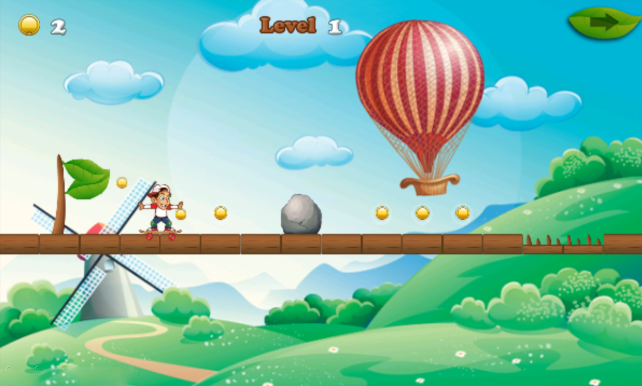
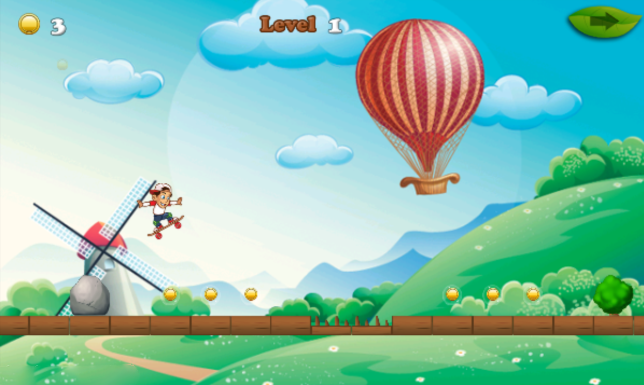
Screenshot :


Watch in Youtube :

https://www.youtube.com/watch?v=zhOtg3-wVS8

Download :
https://play.google.com/store/apps/d...rdingonTerrain


[GAMES] Iron Knights keep crashing/kicked out topic


Dear xda fellows,

First, thanks for visiting and spare some time to read this thread.
I have been googling and visited other forums (forum lowyat, forum hardwarezonesg and oppo forum) to find the solution for my issue but still could not find any solution for that.

My device details are as below:
1. Model: OPPO Find 7 X9076
2. OS: Android 4.3 Jelly Bean running OPPO stock Color OS v1.2.7i stable version (no root)

My issue is:
I am a fan of mobile RPG/shooting game and have downloaded several games on my phone such as Dark Avenger, Kritika, Darkness Reborn, LINE Touch Monsters, Battle SEA, Contract Killer, World of Darkness and Iron Knights.
For all above games that I played, only Iron Knights that gave me the issue such as it keeps crashing/kicked out for no reason. It will crash or kick me out of the game while I am playing inside the dungeon or stages while slashing here there on the mobs, I cant last barely 1-2 minutes inside the dungeon, but if I leave the game on the in-game "Home" screen, then it will not crash, the crash/kicked out issue only happen while I am inside the dungeon fighting with mobs.

Other games as stated above (Dark Avenger, Kritika, Darkness Reborn, LINE Touch Monsters, Battle SEA, Contract Killer, World of Darkness) do not have this kind of issue even though I played these games for more than 30 minutes-1 hour which made me wonder why it is happening only on Iron Knights where the genre/type of the game is similar as other.

Below is the options that I have tried to eliminate the issue but still persist:
1. Reboot the phone before playing Iron Knights
2. Reduce the in-game settings such as Graphics from High to Optimum, turn off the BGM and SFX sound
3. Clear cache and data on the Iron Knights app
4. Remove and redownload and reinstall the game

Options that I have not tried:
1. Factory wipe/reset the phone
2. Re-flash to same ROM that I am currently using

Any suggestion/ideas are welcome to help me find the root cause of this issue.
Thanks in advance :)


Honor 6 Games topic


Hi, what games do you play on your Honor 6 and what settings :)?


Steam/Local Games Setup For Steaming to Z3C topic


The Xperia Z3 line comes with the Playstation Connect to stream games to your Xperia device, and that is fine if you have a PlayStation. If you have a computer or gaming/media center with local games or running Steam, or both, and a Nvidia graphics card, you can create the same streaming experience as the PlayStation Connect setup. Here is what I have found that works.

You will need;
1. Xperia Z3 device
2. Gaming/media box or computer with an Nvidia graphics card and drivers with the Nvidia's GameStream software installed (included in Nvidia driver download.)
3. Gaming controller attached to the gaming box. (I use a wireless Xbox 360 controller.)
4. Limelight Game Streaming app installed (found in the Google Play App Store.) This allows you to connect to GameStream without having an Nvidia Shield Tablet.
5. Optional: mount for your controller and Xperia device; UtorCase (Find your controller and Xperia device, they have them all.)

Use the Limelight app to connect to gaming box via your wifi network and instantly see all your local and Steam games.
That is it!


Games and the official controller (wasn't Google supposed to screen this!?) topic


As was recently reported on by numerous Android blogs, Google is supposedly screening apps to ensure proper remote/gamepad support before listing on the Google Play Store on Android TV. I can now confirm...that's not very extensive testing. I've got three games loaded on my system right now, and I'm using the official Nexus Player gamepad by Asus. It's obvious right off the bat in all three games that there's an issue. Here's the games, the issue(s) for each, and how long you'd have to test to notice.

Beach Buggy Racing: Minor issue, but in the tutorial, the game tells you to hit the "B" (red) button to use your character's special move (not to be confused with a power up, which is "A" (green)). The proper button on the controller is "Y"(yellow) and is reflected as such in the game's controller configuration screen. This is a minor error but would be caught 60-90 seconds into the game's opening tutorial. In the controller configuration, the home button is listed as pause. This is incorrect, as home takes you back to the leanback launcher, and "back" functions as pause.

Final Fantasy 3: Game has rudimentary support for the gamepad, in the sense that each action in game does correspond to a button. The "touch" menu button is still prevalent in the game. In the opening cave, which serves as a tutorial, the first on-screen command that tells you which controls to use tells you to "pinch the screen to zoom in." I had to push all the buttons to find out the the left bumper sort of fills this need, but not properly. This game is still 100% touch based with poorly adapted controls that are only saved by the fact that this is an RPG and doesn't require precise control. This is a moderate issue and would be caught 15-60 seconds into the tutorial cave depending on random battles.

Soul Calibur: I tested the touchscreen controls on my Moto X, and the Nexus Player Gamepad on both the Moto X and the Nexus Player. The results were interesting. On the NP, there's no effective start button (back sometimes works, sometimes doesn't). When you lose and have the option to continue, no button will function as the start button, and you cannot continue. There's no ABK combo button to soul charge. There's no controller configuration at all. YOu get movement, and 4 re-arranged face buttons. That's it. On the Moto X, the Nexus Player's gamepad functions like the Dreamcast controller in relation to the face buttons (a huge improvement), but still no ABK or start/continue functionality. Lastly, the phone's touch screen controls give you full customization, all buttons to include ABK, and full start/pause functionality with the option to continue if you lose. How quickly would this be obvious? Well, to someone testing only the Nexus Player, it would appear that the face buttons worked, and they wouldn't be aware of the lack of ABK functionality. They would have had to lose a fight to notice the continue issues.

Overall, I'm disappointed in the quality control so far relative to what Google has claimed. Beach Buggy Racing is excellent with minor issues that are to be expected in any software. FF3's port was lazy, and Soul Calibur's was haphazard.


OTG storage for games and stuff topic


Hello everyone! I have an OTG usb stick that I want to use as storage for games data and that could be used as a storage by apps other than ES file explorer (camera or camcoder for example). I don't know what to do because the drive can be used and is mounted correctly without root apps or special drivers. Thanks for the help (: